Search Engine Optimization (SEO) is essential for any website owner who wants to increase visibility, attract more visitors, and compete in search engines like Google. While professional SEO software can be expensive, there are many powerful free tools that beginners and experienced site owners can use to understand performance, find improvement opportunities, and track progress over time.
This guide explores the best free SEO tools available today, how they work, when to use them, and tips for maximizing their value. You’ll gain clarity on both beginner-friendly and slightly advanced tools — all without spending a cent.
What SEO Tools Do and Why They Matter
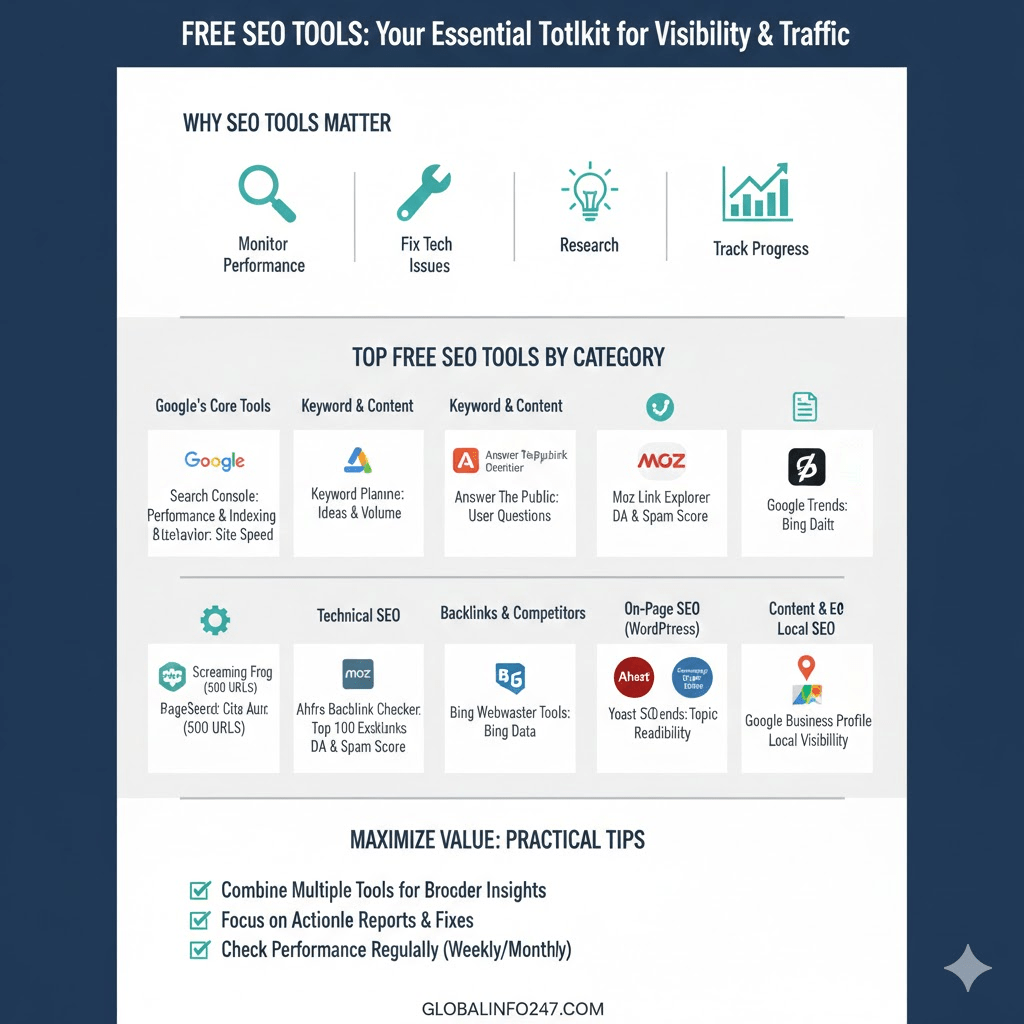
Before listing tools, it’s helpful to understand what SEO tools actually do. At a high level, they help you:
- Monitor search performance – See how your site ranks and performs in search results.
- Identify technical problems – Find issues like broken links or slow pages that hurt visibility.
- Research keywords – Discover what terms your audience searches for and how competitive they are.
- Analyze competitors – Understand what similar sites are doing well and where you can improve.
- Track backlinks – See who links to your site and understand your link profile strength.
- Improve content – Get suggestions on optimizing pages for better search relevance.
Free SEO tools cover many or all of these areas at different levels of depth. The key is combining them smartly to build a practical workflow.
Google’s Free SEO Tools
Google offers some of the most important free tools because they connect directly to search performance and indexing data. Every website owner should use them.
1. Google Search Console (GSC)
What it does:
Shows how your site performs in Google Search.
Key benefits:
- Search queries that bring traffic
- Click-through rate (CTR) and impressions
- Indexing issues and coverage errors
- Sitemaps submission
- Mobile usability reports
Why it’s essential:
This tool provides real user data directly from Google — you can see exactly which queries lead to clicks and how your pages rank over time. Fixing issues reported in Search Console often improves visibility quickly.
How to use it:
- Verify your site ownership
- Submit a sitemap
- Review performance reports weekly
- Check coverage to fix indexing errors
2. Google Analytics
What it does:
Tracks visitor behavior on your website.
Key benefits:
- Traffic levels and sources (search, social, direct)
- Which pages users visit most
- Bounce rates and session duration
- Conversion tracking (goals like form submissions)
Why it matters:
SEO isn’t only about ranking — it’s about engagement and conversions. Google Analytics shows how search traffic interacts with your content.
How to use it:
- Set up tracking with a Google Analytics account
- Link it to Search Console
- Create goals for key actions (newsletter signups, purchases)
- Compare organic traffic against other sources
3. Google PageSpeed Insights
What it does:
Analyzes page performance and speed on mobile and desktop.
Key benefits:
- Core Web Vitals scores (loading, interactivity, visual stability)
- Actionable suggestions to improve speed
- Mobile versus desktop comparison
Why it matters:
Page speed is a ranking factor and affects user experience. Slow pages lose visitors and may rank lower in search.
How to use it:
- Enter URLs of key pages
- Fix issues like large images, render-blocking scripts, and slow server response
Keyword and Content Research Tools
Effective SEO starts with understanding what people search for and how to tailor content to match intent.
1. Google Keyword Planner
What it does:
Shows keyword ideas and search volume estimates.
Key benefits:
- Keyword suggestions based on seed terms
- Monthly search volume ranges
- Competition indicators
Best use:
Plan content topics and structure based on what users search for.
Limitations:
Volume ranges are estimates, and exact search counts require an active Google Ads account.
2. Answer The Public
What it does:
Visualizes real user questions related to a topic.
Key benefits:
- Questions that start with who, what, why, how, where
- Related prepositions and comparisons
- Data visualization of search intent
Why it’s valuable:
This tool helps you discover what users want to know — perfect for crafting content that answers real questions.
How to use it:
Enter a core keyword and analyze the generated “questions” chart to shape blog posts or FAQ sections.
3. Ubersuggest (Free Version)
What it does:
Offers keyword suggestions, search volume, SEO difficulty, and content ideas.
Key benefits:
- Keyword overview
- Top-ranking pages for a keyword
- Content ideas based on best-performing pages
- Backlink overview (limited in free plan)
Why it’s useful:
It combines several functions — keyword research and competitor insight — in one interface without cost.
How to use it:
Enter your target term, explore related keywords and analyze top-performing pages for structure or content ideas.
Technical SEO and Site Auditing Tools
Technical SEO ensures search engines can crawl, index, and understand your content.
1. Screaming Frog SEO Spider (Free)
What it does:
Crawls your website similar to how search engines do.
Key benefits:
- Detects broken links (404 errors)
- Title and meta description issues
- Duplicate content
- Redirect chains
- XML sitemap creation
Limitations:
Free version is limited to crawling 500 URLs, but that’s often enough for small sites.
Why it’s powerful:
It gives a deep technical snapshot of site health that most basic tools can’t match.
2. Bing Webmaster Tools
What it does:
Similar to Google Search Console but for Bing and Yahoo search.
Key benefits:
- Search performance data for Bing
- Crawl error reports
- Backlink tracker
- SEO reports and keyword research tools
Why it’s worth using:
Even if Google is your main focus, Bing Webmaster Tools supplies additional indexing insights.
Read Also: Do Monkeys and Chimpanzees Menstruate? The Surprising Truth!
Backlink and Competitive Analysis Tools
Backlinks — links from other websites to yours — remain a major ranking signal. These tools help you monitor your link profile and understand competitors.
1. Ahrefs Backlink Checker (Free)
What it does:
Displays top backlinks to any website and the most linked pages.
Key benefits:
- Top 100 backlinks to your site
- Referring domains
- Top organic keywords
Why it’s useful:
It’s a lightweight version of a premium tool but still gives valuable link insight.
How to use it:
Enter your domain (or competitor domain) and study where their authority comes from.
2. Moz Link Explorer (Free Version)
What it does:
Shows basic backlink information and domain authority metrics.
Key benefits:
- Domain Authority (DA) score
- Spam score
- Linking domains
- Anchor text analysis
Best use:
Compare your site’s authority with competitors and track how linking strategies differ.
On-Page SEO and Optimization Tools
Optimizing content for specific keywords and readability helps improve rankings and engagement.
1. Yoast SEO (Free WordPress Plugin)
What it does:
Guides content optimization directly within WordPress.
Key benefits:
- Focus keyword targeting
- Readability analysis
- Meta title and description templates
- XML sitemap generation
Why it’s beginner-friendly:
It gives practical on-page suggestions without needing technical knowledge.
2. Rank Math (Free WordPress Plugin)
What it does:
A powerful WordPress SEO plugin with many free features.
Key benefits:
- Schema markup support
- Keyword optimization
- XML sitemaps
- 404 monitor and redirections
Why it’s strong:
It offers advanced features that often require paid plugins elsewhere.
Content and SEO Writing Tools
Strong content is central to SEO success. These tools help make that content clearer, more relevant, and more aligned with user intent.
1. Hemingway Editor
What it does:
Analyzes readability and highlights complexity in text.
Key benefits:
- Highlights long sentences
- Suggests simpler alternatives
- Visual readability scoring
When to use it:
Before publishing blog posts or page content to make writing more accessible.
2. Google Trends
What it does:
Shows relative search interest over time for keywords.
Key benefits:
- Trend comparison between terms
- Regional interest
- Rising related queries
Why it’s helpful:
It helps you choose topics or keywords that are trending rather than declining.
Local SEO Tools
If your website supports a local business, these tools help with local search presence.
1. Google Business Profile
What it does:
Lets your business appear on Google Maps and local search results.
Key benefits:
- Customer reviews
- Hours and contact info
- Local insights and queries
Why it’s critical:
Local SEO without Google Business Profile is incomplete — it directly affects visibility for location-based searches.
2. Moz Local (Free Listing Check)
What it does:
Checks your business listing accuracy across directories.
Key benefits:
- Highlights inconsistent or missing listings
- Shows duplicate profiles that can hurt local SEO
Best use:
Ensuring your business information is uniform across the web.
How to Combine These Tools for Better SEO
No single tool solves all SEO problems. The most effective approach is to combine them:
- Start with Google Search Console and Analytics
These give baseline performance and user behavior data. - Perform keyword research with Keyword Planner and Answer The Public
Build a content plan around real search demand. - Audit your site technically using Screaming Frog
Fix broken links, duplicate pages, and missing metadata. - Monitor backlinks with Ahrefs Backlink Checker
Build a link strategy based on real data. - Optimize content using Yoast or Rank Math
Ensure pages are structured for both humans and search engines. - Track local presence with Google Business Profile
Especially if you serve a local audience.
Tips for Getting the Most Out of Free SEO Tools
- Use multiple tools: One tool’s data may differ from another. Comparing results gives a broader understanding.
- Check performance regularly: SEO isn’t one-time work — trends and rankings change.
- Focus on actionable reports: Prioritize issues you can fix quickly for visible impact.
- Link tools where possible: For example, connect Google Analytics with Search Console for deeper insights.
- Stay patient: SEO results often take weeks or months to show noticeable improvement.
Quick Comparison: Free SEO Tools Overview
| Tool | Best For | Type |
|---|---|---|
| Google Search Console | Search performance tracking | Search analytics |
| Google Analytics | Visitor behavior | Traffic analysis |
| PageSpeed Insights | Site speed metrics | Performance |
| Keyword Planner | Keyword discovery | Keyword research |
| Answer The Public | User intent questions | Content ideas |
| Ubersuggest | Keyword + competitor insights | Combined research |
| Screaming Frog (Free) | Technical site audit | Technical SEO |
| Bing Webmaster Tools | Search data beyond Google | Search analytics |
| Ahrefs Backlink Checker | Backlink insights | Competitive analysis |
| Moz Link Explorer | Domain authority | Link metrics |
| Yoast SEO | On-page guidance | Optimization plugin |
| Rank Math | WordPress SEO | Optimization plugin |
| Hemingway Editor | Content readability | Writing support |
| Google Trends | Search interest over time | Trend analysis |
| Google Business Profile | Local visibility | Local SEO |
Frequently Asked Questions (FAQ)
1. Are free SEO tools good enough?
Yes. For most beginners and small-to-medium websites, free tools offer more than enough data to improve search performance. Combining multiple free tools often rivals paid software.
2. Do I need technical skills to use these tools?
Most tools are beginner-friendly. Technical tools like Screaming Frog have a learning curve, but basic reports are clear and actionable.
3. How often should I check SEO performance?
Review key metrics weekly or monthly. Technical health and keyword trends can change over time.
4. Can free tools help with competitor analysis?
Yes. Tools like Ubersuggest, Ahrefs Backlink Checker, and Moz Link Explorer offer insights into competitor keywords and backlinks.
5. Will these tools improve my rankings automatically?
Tools provide data; improvement comes from using that data to fix issues, optimize content, and track progress consistently.
Free SEO tools have never been more capable. With the right strategy, they let website owners of all levels — from beginners to seasoned bloggers — understand performance, uncover opportunities, and make smarter decisions that improve visibility in search engines.
Start with essential tools like Google Search Console and Analytics, build a keyword and content plan, solve technical issues, and measure progress regularly. SEO is not a quick fix but a long-term commitment. With these tools in your toolkit, you are well equipped to begin that journey.
Read Also: What are The Job Prospects for Agricultural Careers?