Creating a website may seem intimidating if you have never done it before, but the process is far more approachable than most beginners expect. Modern tools, platforms, and hosting services have removed much of the technical complexity that once made website creation difficult. Today, anyone with basic computer skills can build a functional, professional-looking website without writing a single line of code.
This step-by-step guide walks you through the entire process of creating a website from scratch. It explains each stage clearly, from planning your site and choosing the right platform to publishing your content and maintaining your website over time. Whether you want a personal blog, a business website, or an online portfolio, this guide will help you get started with confidence.
Step 1: Define the Purpose of Your Website
Before choosing tools or designs, you need to understand why you are creating a website. The purpose of your website influences every decision you make, including layout, content, and features.
Common website purposes include:
- Sharing information or blogging
- Promoting a business or service
- Selling products online
- Showcasing a portfolio
- Building an online community
Be clear about your main goal. A website built for blogging will look and function differently from an online store or a company website. Defining your purpose early prevents confusion and unnecessary changes later.
Step 2: Choose a Domain Name
A domain name is your website’s address on the internet. It is what people type into their browser to find your site. Choosing the right domain name is important because it affects branding, credibility, and memorability.
Tips for Choosing a Good Domain Name
Your domain name should be:
- Easy to spell and pronounce
- Short and memorable
- Relevant to your website’s purpose
- Free of numbers and unnecessary symbols
If possible, choose a domain extension that suits your website. The most common is .com, but other extensions can work depending on your niche.
Once you find an available domain name, you can register it through a domain registrar or directly through a hosting provider.
Read Also: Significance and Uses of Long Stem Rose Flowers
Step 3: Select a Web Hosting Provider
Web hosting is the service that stores your website’s files and makes them accessible on the internet. Without hosting, your website cannot go live.
Types of Hosting for Beginners
For beginners, shared hosting is usually the best option. It is affordable, easy to manage, and suitable for small to medium websites. As your website grows, you can upgrade to more advanced hosting options.
When choosing a hosting provider, look for:
- Good uptime reliability
- Beginner-friendly control panels
- Customer support
- Security features
- Easy website installation options
Most hosting providers offer bundled packages that include domain registration, email accounts, and basic security tools.
Step 4: Choose a Website Building Platform
The website platform you choose determines how you build and manage your site. Beginners generally benefit from platforms that require little technical knowledge.
Popular Options for Beginners
Content management systems and website builders are the most beginner-friendly options. They provide visual editors, themes, and plugins that simplify the creation process.
WordPress is widely used because it is flexible, scalable, and supported by a large community. Other website builders offer drag-and-drop interfaces that are even simpler but may have limitations.
Choose a platform that matches your long-term goals. If you plan to expand your site later, flexibility is important.
Step 5: Install Your Website Platform
Most hosting providers offer one-click installation for popular website platforms. This means you can install your chosen platform in just a few minutes without manual configuration.
During installation, you will:
- Set your website name
- Create login credentials
- Choose basic settings
After installation, you can access your website’s dashboard, which is where you manage content, design, and functionality.
Step 6: Choose and Customize a Website Theme
A theme controls the appearance of your website. It defines layout, colors, fonts, and overall design. Beginners should start with a simple, clean theme that focuses on readability and usability.
What to Look for in a Theme
A good theme should be:
- Responsive for mobile devices
- Fast-loading
- Easy to customize
- Compatible with plugins
Most platforms allow you to preview themes before applying them. Once installed, you can customize the theme by adjusting colors, fonts, logos, and layouts to match your brand or personal style.
Step 7: Create Essential Website Pages
Every website needs a few core pages to look complete and professional.
Common Pages for Beginner Websites
At minimum, your website should include:
- A homepage that explains what your site is about
- An about page that introduces you or your business
- A contact page with a way for visitors to reach you
Depending on your purpose, you may also need service pages, blog pages, or a portfolio section.
Each page should be clear, well-structured, and focused on helping visitors understand your website quickly.
Step 8: Add Content to Your Website
Content is the heart of your website. It communicates your message and provides value to your visitors.
Writing Beginner-Friendly Content
When creating content:
- Write clearly and simply
- Break text into short paragraphs
- Use headings to organize sections
- Focus on solving visitor problems
Avoid adding too much content at once. Start with the essentials and expand gradually as your website grows.
Step 9: Set Up Navigation and Menus
Navigation helps visitors move around your website easily. A well-organized menu improves user experience and keeps visitors engaged.
Your main menu should include your most important pages and be easy to understand. Avoid cluttering menus with too many links, especially at the beginning.
Step 10: Install Useful Plugins or Extensions
Plugins extend your website’s functionality. Beginners should start with only essential plugins to avoid performance issues.
Useful Plugin Categories
Common plugin categories include:
- Security tools
- Backup solutions
- Search engine optimization tools
- Contact forms
- Performance optimization
Install only trusted plugins and keep them updated to maintain website security and stability.
Step 11: Optimize Your Website for Search Engines
Search engine optimization helps your website appear in search results. While advanced SEO takes time to master, beginners can start with basic practices.
Focus on:
- Clear page titles
- Descriptive headings
- Quality content
- Fast loading speed
- Mobile-friendly design
Good SEO habits from the start make it easier to grow traffic over time.
Step 12: Test Your Website Before Launch
Before publishing your website, test it thoroughly. Check that all pages load correctly and that links work as expected.
Important checks include:
- Mobile responsiveness
- Page loading speed
- Contact form functionality
- Browser compatibility
Testing helps catch issues early and ensures a smooth experience for visitors.
Step 13: Publish Your Website
Once everything looks good, it is time to launch your website. Publishing usually involves making your site publicly visible through your platform’s settings.
After launch, share your website link with friends, on social media, or through email to start attracting visitors.
Step 14: Maintain and Update Your Website
Creating a website is not a one-time task. Regular maintenance keeps your site secure, functional, and relevant.
Maintenance includes:
- Updating content
- Installing platform and plugin updates
- Backing up your website
- Monitoring performance
Consistent maintenance ensures your website continues to perform well as it grows.
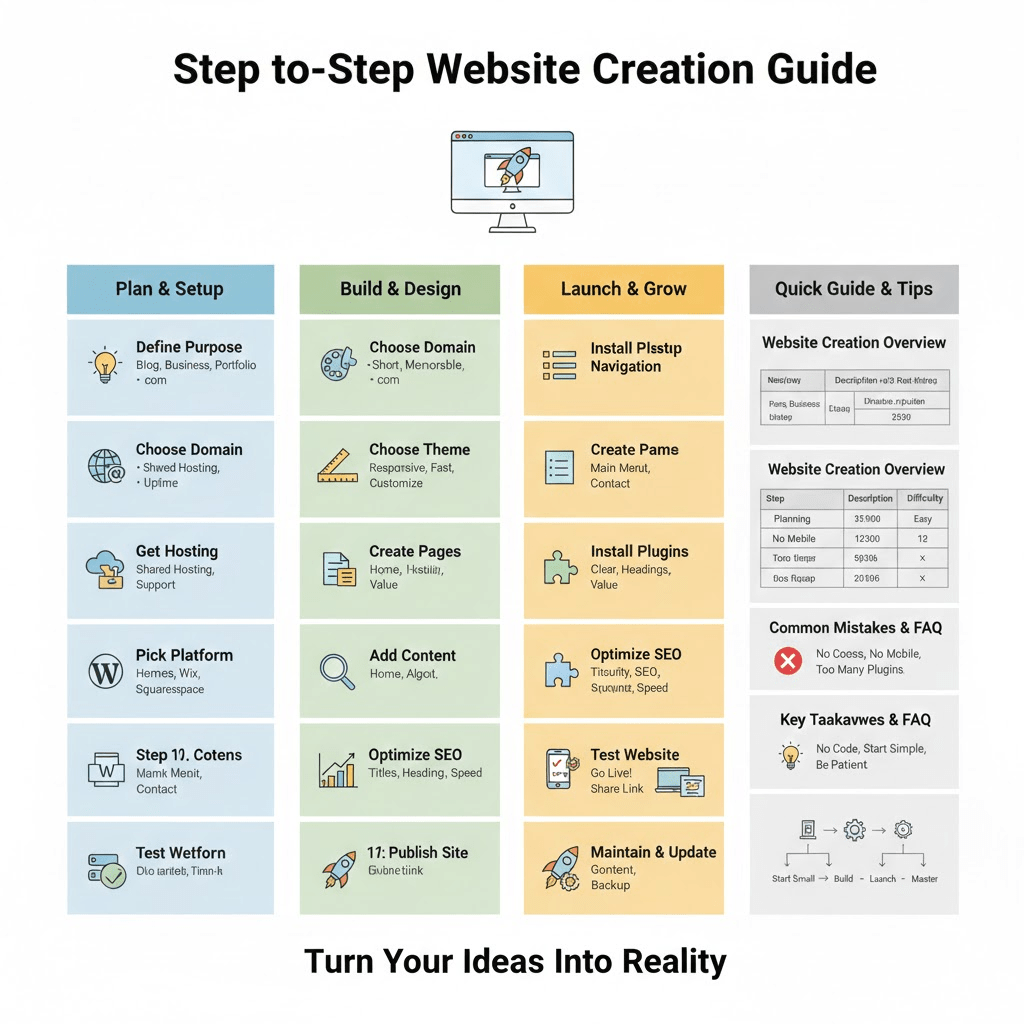
Website Creation Overview
| Step | Description | Beginner Difficulty |
|---|---|---|
| Planning | Define purpose and goals | Easy |
| Domain & Hosting | Register domain and choose hosting | Easy |
| Platform Setup | Install website platform | Easy |
| Design | Choose and customize theme | Easy |
| Content | Create pages and write content | Moderate |
| Optimization | Improve performance and SEO | Moderate |
| Maintenance | Updates and backups | Easy |
Common Beginner Mistakes to Avoid
Many beginners rush the process and overlook planning. Skipping mobile optimization, using too many plugins, or choosing a complex design too early can cause problems.
Another common mistake is neglecting content quality. A simple website with clear, helpful content performs better than a visually impressive site with weak messaging.
Frequently Asked Questions (FAQ)
Do I need coding skills to create a website?
No. Most modern website platforms allow you to build websites without coding. Visual editors and templates handle the technical aspects for you.
How long does it take to create a website?
A basic website can be created in a few hours or days. More complex websites take longer, depending on content and customization.
How much does it cost to create a website?
Costs vary depending on domain registration, hosting, and optional tools. Many beginner websites can be launched at a relatively low cost.
Can I update my website later?
Yes. Websites are designed to be updated. You can change content, design, and features at any time.
Is it possible to grow a beginner website into a professional one?
Absolutely. Many professional websites started as simple beginner projects and grew over time with consistent improvements.
Creating a website as a beginner is a manageable and rewarding process when broken into clear steps. By focusing on purpose, simplicity, and gradual improvement, you can build a website that looks professional and serves your goals effectively.
With the right tools and a willingness to learn, your website can grow alongside your skills. Start small, stay consistent, and treat your website as a long-term project that evolves over time.
Do you have any questions, suggestions, or contributions? If so, please feel free to use the comment box below to share your thoughts. We also encourage you to kindly share this information with others who might benefit from it. Since we can’t reach everyone at once, we truly appreciate your help in spreading the word. Thank you very much for your support and for sharing!
Read Also: All You Need To Know About Wild Republic Audubon Birds