Artificial intelligence tools have become indispensable in today’s digital environment. Whether you are a student, entrepreneur, creative professional, or lifelong learner, these tools can streamline your workflow, enhance productivity, and open new opportunities for personal and professional growth. This beginner-friendly guide will walk you through the most useful tools available, both free and paid, explain their features, and offer practical advice on how to choose the right option for your needs.
Throughout this article, we will break down categories of tools, compare them in a helpful overview table, and explore essential tips for getting started. By the end, you will have a clear roadmap to pick the tools that match your goals and skill level.
Understanding What “AI Tools” Are
The term refers to software and platforms that perform tasks traditionally requiring human intelligence. These can range from writing assistance, image creation, scheduling and planning, language translation, data analysis, and more.
The purpose of such tools is to help users complete tasks faster, with higher accuracy, and often with less technical expertise required. For beginners, adopting these tools can feel both exciting and overwhelming, so understanding how they work and where they are useful is key.
Why Beginners Should Consider Using These Tools
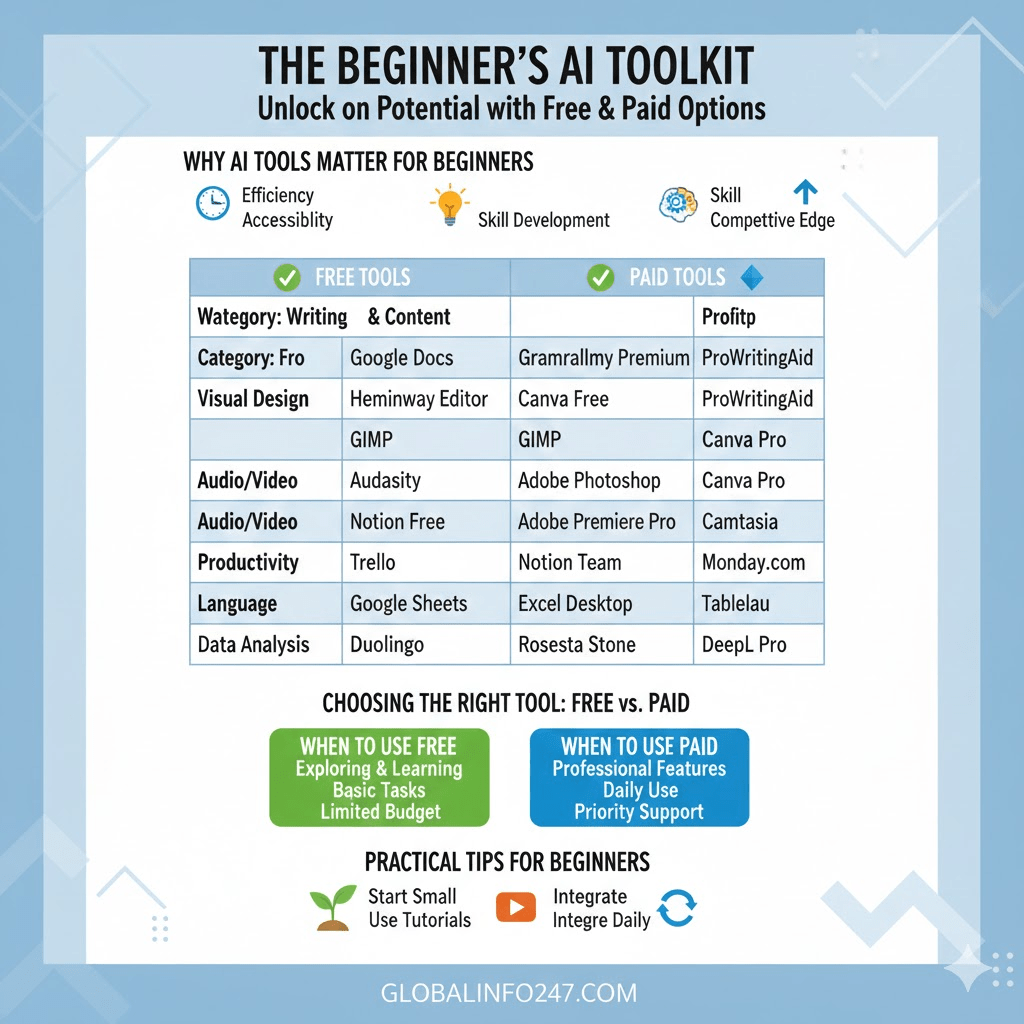
Before we dive into specific tools, it helps to understand why such tools matter:
- Efficiency
Many tools automate repetitive tasks — freeing up time for deeper thinking and creativity. - Accessibility
Tasks that previously required technical training can now be done with simple interfaces. - Skill Development
As you use these tools, you often improve your critical thinking, digital literacy, and problem-solving skills. - Competitive Edge
In school, work, or business, using the right tool can help you produce higher-quality outcomes.
With those advantages in mind, let’s explore specific categories and top options.
Writing and Content Tools
Tools in this category help you draft, edit, and refine written work such as articles, emails, essays, or scripts.
Read Also: Do Monkeys and Chimpanzees Menstruate? The Surprising Truth!
Free Options
- Google Docs (with built-in writing suggestions)
Most people are familiar with this word processor. It provides spelling and grammar checks, real-time collaboration, and basic recommendations to improve clarity. - Hemingway Editor
A web-based app that highlights complex sentences and suggests simpler alternatives. It also measures readability — ideal for students or bloggers.
Paid Options
- Grammarly (Premium)
Goes beyond simple grammar checks. It offers tone suggestions, advanced clarity edits, and vocabulary enhancements. The premium version also helps with plagiarism checks. - ProWritingAid
Designed for deeper text analysis. It provides detailed reports on structure, pacing, repeated phrases, and style consistency.
Visual Content and Design Tools
Creating visuals for presentations, social media, or videos is a valuable skill. These tools help you generate or edit images, graphics, and visual assets.
Free Options
- Canva (Free Version)
Provides thousands of templates for posters, thumbnails, social posts, and more. Beginner-friendly and intuitive. - GIMP
A powerful open-source image editor. It has many features similar to professional graphic editors, though it can require a learning curve.
Paid Options
- Adobe Photoshop / Illustrator (Subscription)
Industry standard tools for advanced image editing and vector design. They offer unmatched control for professionals. - Canva Pro
Upgraded version of Canva with premium templates, brand kits, and more export options.
Audio and Video Editing Tools
Whether you want to record podcasts, edit videos, or enhance audio, these tools make the process easier and more professional.
Free Options
- Audacity
Open-source audio editor excellent for recording and cleaning up sound. Great for podcast beginners. - DaVinci Resolve
A professional-grade video editing suite available for free. It includes advanced editing, color correction, and effects.
Paid Options
- Adobe Premiere Pro
Professional video editor with robust timeline tools, effects, and export presets. - Camtasia
Ideal for screen recording and tutorial videos. Combines recording, editing, and exporting in one platform.
Productivity and Organization Tools
These are ideal for managing tasks, projects, schedules, and team work. They help beginners stay organized and efficient.
Free Options
- Trello
Uses boards and cards to manage tasks visually. Great for personal planning or small team projects. - Notion (Free Personal Plan)
Combines notes, planning, and database features. Highly customizable for many workflow styles.
Paid Options
- Notion (Team/Enterprise)
Adds advanced permissions, collaboration features, and more storage. - Monday.com
A project management platform designed for teams of all sizes. Offers dashboards, automation, and reporting tools.
Data Analysis and Spreadsheet Tools
If you need to make sense of numbers, patterns, or datasets, these tools help you analyze and visualize information.
Free Options
- Google Sheets
Cloud-based spreadsheets with formulas, charts, and collaboration. - Microsoft Excel (Online Free Version)
Familiar spreadsheet application accessible through a browser.
Paid Options
- Microsoft Excel (Desktop)
Offers advanced features like Power Query, macros, and pivot tables. - Tableau
Visualization software that turns data into interactive charts and reports.
Language and Communication Tools
For translation, language learning, or improved communication, these tools support multilingual communication and learning.
Free Options
- Google Translate
Offers instant translation for text, speech, and even images. - Duolingo
A gamified language learning platform that makes learning a new language fun.
Paid Options
- Rosetta Stone
Focuses on immersive language learning. - DeepL Pro
Advanced translation quality with more accurate and natural results.
Choosing Free Versus Paid Tools
Beginners often wonder whether free tools are enough or if paid subscriptions are necessary. Here are some typical considerations:
When to Use Free Tools
- You are just starting out and exploring.
- Your tasks are basic and do not require advanced features.
- Budget is limited.
Free tools are usually sufficient for early learning, experimentation, and foundational work. For many users, these tools can handle most tasks comfortably.
When Paid Tools Make Sense
- You need professional-grade features (e.g., advanced editing, collaboration, security).
- You use the tool regularly for work or business.
- You need priority support and more customization.
Paid tools often unlock deeper functionality and can significantly improve quality and efficiency — but only if your needs justify the investment.
How to Evaluate a Tool Before Using It
With so many options available, it helps to have a simple evaluation process:
- Define Your Goal
What task are you trying to accomplish? Clear goals help you avoid distractions. - Check for Ease of Use
Is the interface beginner-friendly? Does it have tutorials or community support? - Assess Available Features
Does it offer the specific tools you need (e.g., text editing, scheduling, collaboration)? - Try the Free Version First
Most paid tools offer free trials. This allows you to explore before committing. - Read Reviews and Comparisons
Hearing from other users can save time and reveal issues you might overlook.
Practical Tips for Beginners
Here are some actionable tips as you begin using these tools:
1. Start Small and Build Confidence
Don’t try to learn everything at once. Focus on mastering one tool at a time before expanding.
2. Keep Learning with Tutorials
Most tools have official tutorials, forums, or community videos. Use these resources to improve quickly.
3. Integrate Tools into Your Routine
Make these tools part of your daily workflow. For example:
- Use organization tools every morning to plan your day.
- Use writing tools when drafting any document.
- Use editing tools before finalizing content.
Routine use reinforces your learning.
Free and Paid Tools at a Glance
| Category | Free Tools | Paid Tools |
|---|---|---|
| Writing & Content | Google Docs, Hemingway | Grammarly Premium, ProWritingAid |
| Visual Design | Canva Free, GIMP | Adobe Photoshop, Canva Pro |
| Audio/Video | Audacity, DaVinci Resolve | Adobe Premiere Pro, Camtasia |
| Productivity | Trello, Notion Free | Notion Team, Monday.com |
| Data Analysis | Google Sheets, Excel Online | Excel Desktop, Tableau |
| Language | Google Translate, Duolingo | Rosetta Stone, DeepL Pro |
Frequently Asked Questions (FAQ)
1. Do I need a powerful computer to use these tools?
Not always. Many tools work in web browsers or are optimized for basic devices. For advanced editing and large projects, a more capable computer helps, but beginners can start without it.
2. Can I switch tools later if I change my focus?
Yes. Most tools allow you to export your work (e.g., files, data) and transition to another platform. Choosing tools that support common formats makes this process smoother.
3. Are paid subscriptions worth it?
If you regularly use a tool for work, business, or serious study, paid versions often offer better performance, support, and features. However, free tools can be sufficient for many tasks.
3. How much should beginners expect to spend?
Subscription costs vary widely. Some tools are affordable monthly, while others require annual payments. Start with free options and only upgrade when needed.
4. Do these tools require technical skills?
Most beginner-focused tools are designed without steep learning curves. Many have tutorials, templates, and community help to assist new users.
Exploring and using tools that enhance productivity and creativity can be empowering. For beginners, starting with free options allows you to learn without pressure, while paid tools can elevate your work as your skills grow.
Remember that the value of any tool lies in how you use it. Focus on understanding your goals, choosing tools that align with them, and practicing consistently. Over time, your efficiency, confidence, and quality of output will improve — and you’ll be able to tackle bigger and more complex projects with the right support from technology.
Whether you are writing reports, designing visuals, editing videos, or organizing your day, the right tools can make the process smoother, more enjoyable, and more effective. Start exploring today, and build the foundation for growth and success.